Available now · iPhone and Android
Scan it. Keep it on your phone.
A private document scanner, made for India. On-device OCR, GST extraction, Aadhaar masking, PDF signing — nothing is uploaded.
Free to scan every day. Pro yearly ₹999 with a 7-day trial, or ₹2,999 once.
LumenScan offers an auto-renewing subscription. Payment is charged to your App Store or Google Play account; it renews unless cancelled at least 24 hours before the period ends. Terms and Privacy Policy.
Upload
Never
Account
Not required
OCR
On your phone
Stores
iOS + Android
What you get
Built for Indian paperwork. Private by architecture.
Get crisp, straightened pages from a quick phone photo
auto-capture detects the document edges, fixes the perspective, and a magic clean-up filter wipes shadows and uneven lighting: plus Enhanced, B&W, and Grayscale modes for sharp, readable scans.
Find any scan later by searching its words
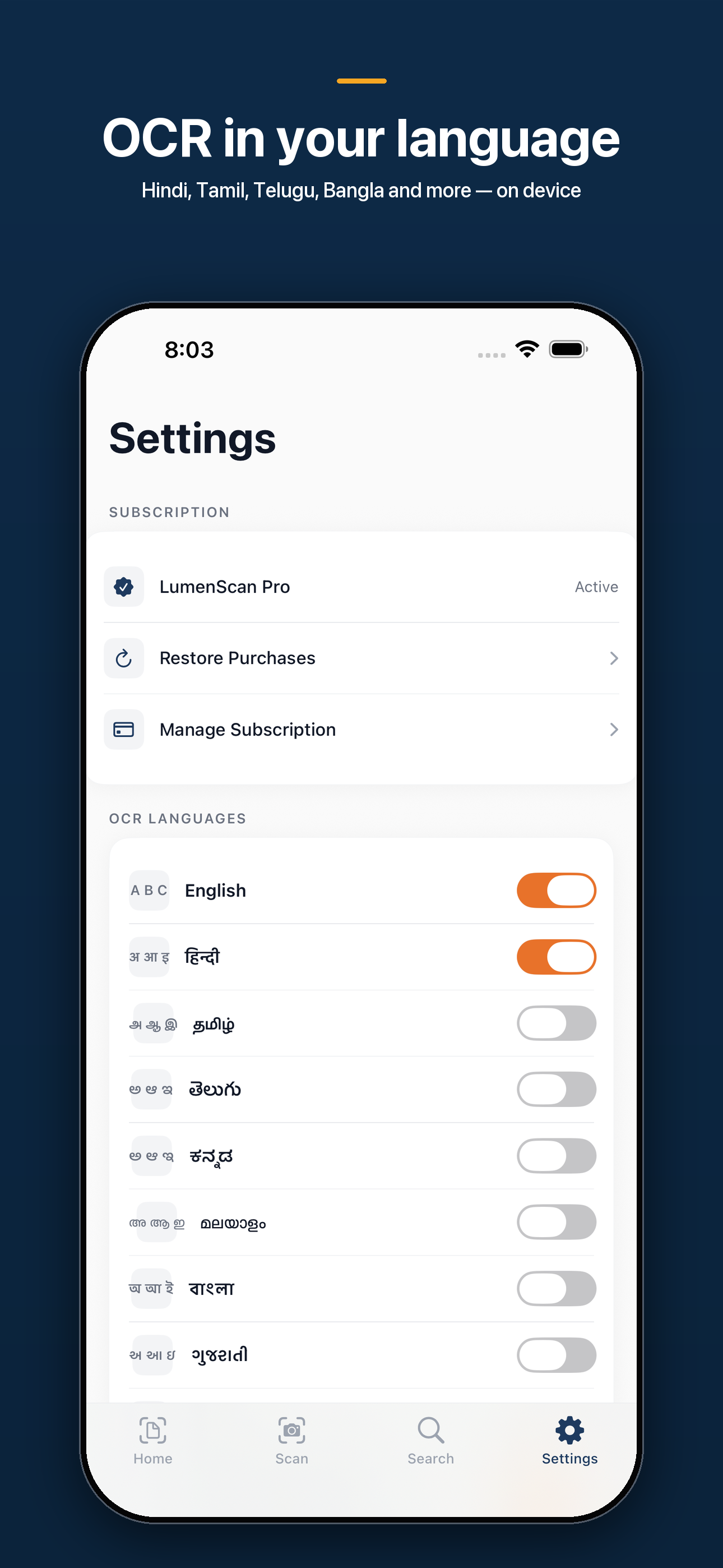
on-device OCR (Apple Vision, accurate mode) reads English, Hindi, Tamil, and Telugu into a searchable text layer: text recognition runs entirely on your phone, no internet and no upload.
Close your books faster
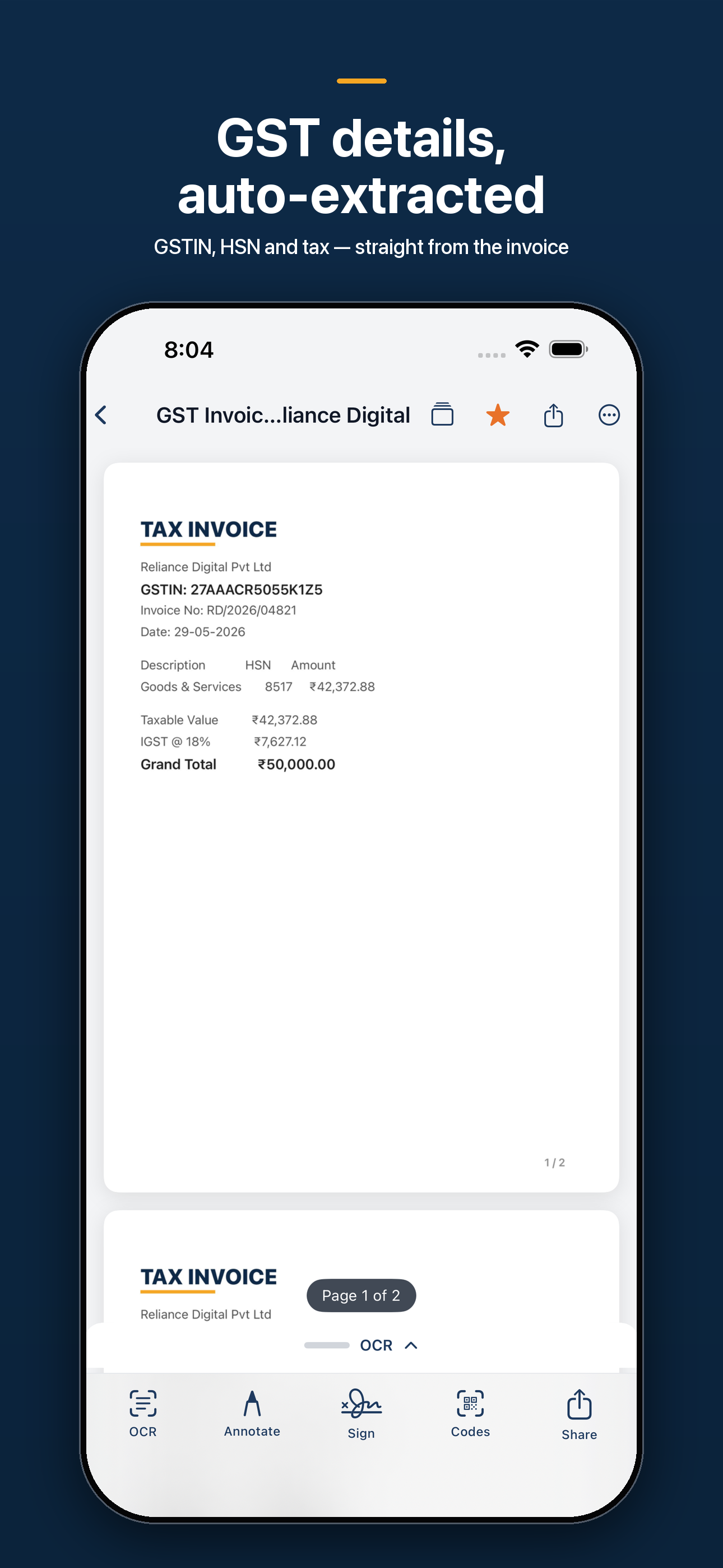
scan a GST invoice or receipt and LumenScan auto-extracts the GSTIN, amount, and vendor, and turns a scanned UPI QR into a one-tap pay link. (GST extraction is a Pro feature.)
Scan IDs and passports the right way
combine an Aadhaar, PAN, or other ID's front and back onto a single clean page, and read a passport's machine-readable zone on-device: no typing, no cloud.
Sign and protect PDFs without leaving the app
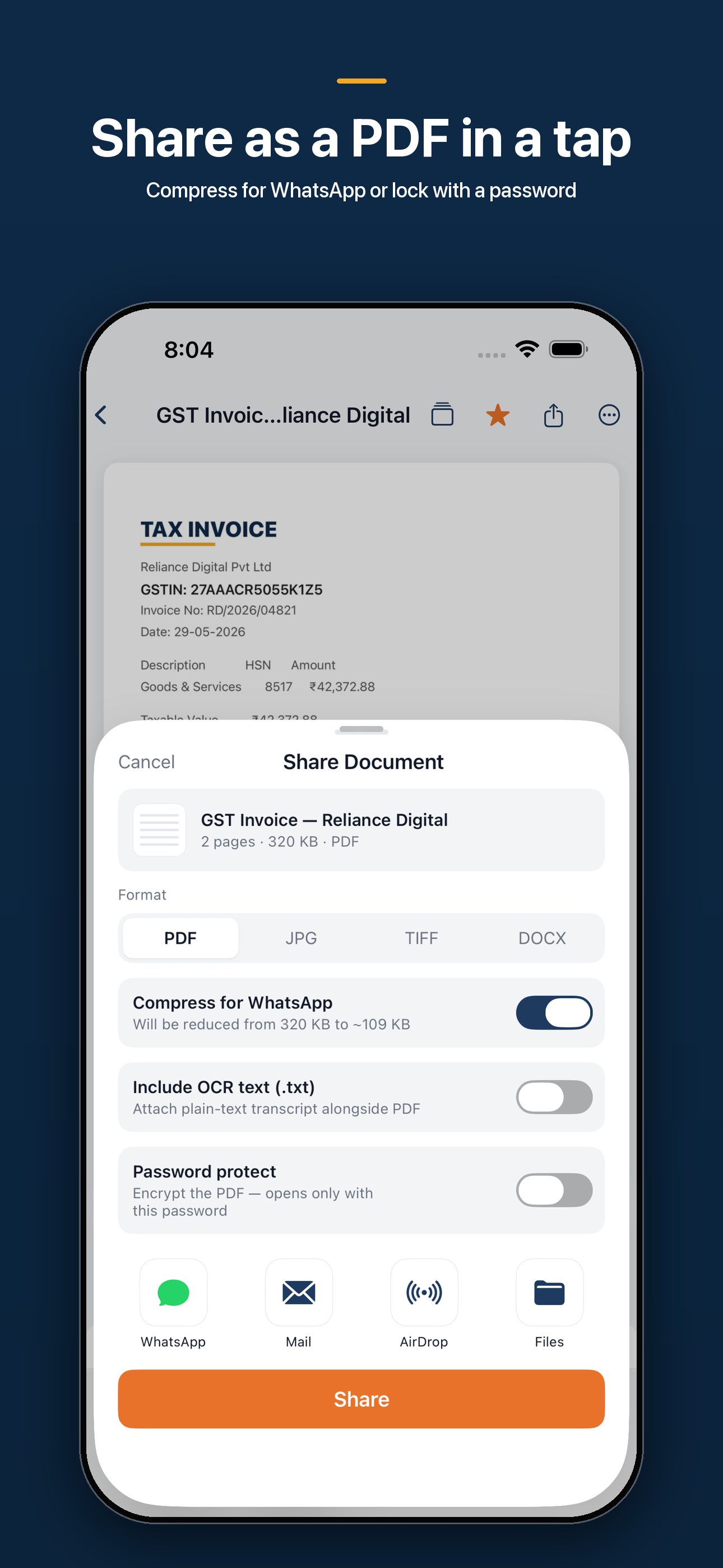
annotate, fill forms, drop a reusable signature, and lock exports with AES password protection. (Annotation and signing are Pro features.)
Share scans in the format anyone needs
export to PDF, JPEG, PNG, or an editable Word (.docx) document built from your scan's OCR text.
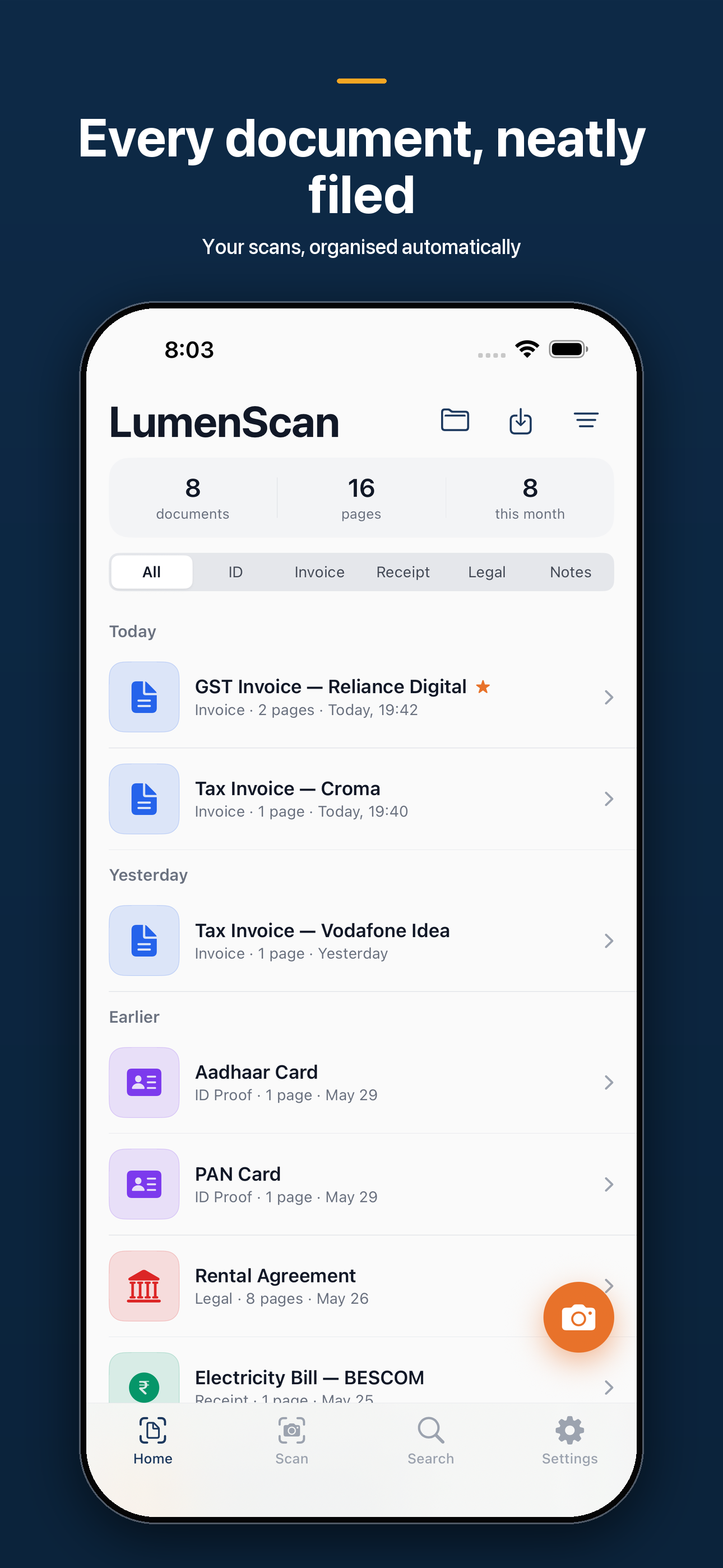
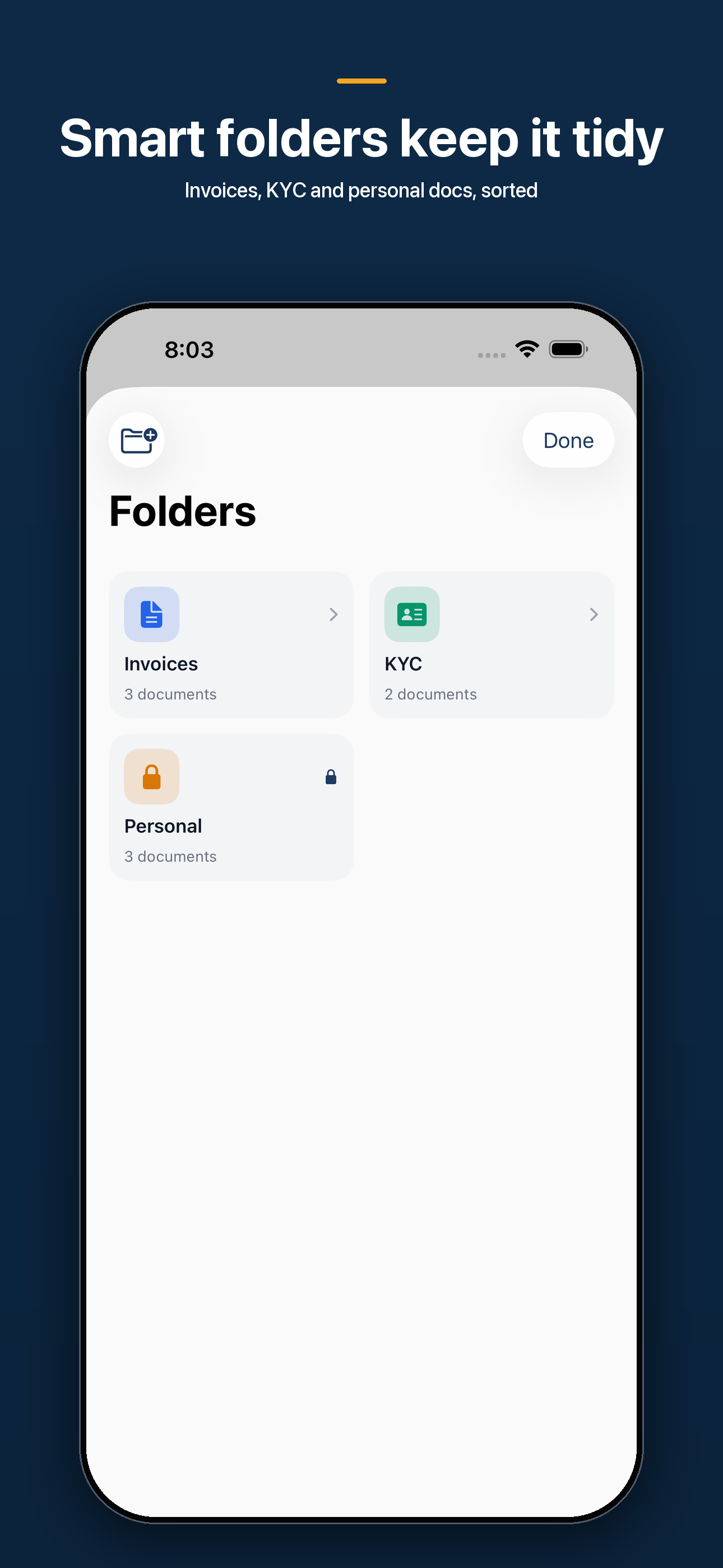
Keep documents organized automatically
scans are auto-filed into ID, Invoice, Receipt, Legal, and Notes categories with tags, favorites, and full-text search. (Smart Folders are a Pro feature.)
Lock the sensitive stuff down
a Face ID / biometric vault hides private scans, on-device masking blurs Aadhaar and PAN numbers before you share, business cards save straight to Contacts, and GST filing reminders (GSTR-1 on the 10th, GSTR-3B on the 20th) keep you on time: with optional iCloud sync across your Apple devices (Pro).
A look inside
See it in your hands.
How it works
Point, capture, file. Still on your phone.
- 01
Scan
Open the camera and capture, with real-time edge detection, perspective correction, and shadow clean-up across multiple pages.
- 02
Recognize & extract
On-device OCR reads English, Hindi, Tamil, and Telugu, while GST invoices, receipts, passport MRZ, and UPI QR codes are parsed locally — nothing is uploaded.
- 03
Organize
Scans are auto-filed into smart folders with tags, favorites, and full-text search.
- 04
Sign, protect & share
Annotate or sign, mask Aadhaar/PAN, password-protect, export to PDF/JPG/PNG/Word, and lock private documents behind Face ID — share only when you choose.
Why this exists
The scanner that does not upload your Aadhaar.
CamScanner was pulled. Most replacements either cannot read Indian scripts, or they send the page to a server to do the reading. LumenScan was built so neither is true.
| Typical cloud scanner | LumenScan | |
|---|---|---|
| Your pages | Uploaded to run OCR | Stay on the phone |
| Indian scripts | Uneven, often cloud | Hindi, Tamil, Telugu on-device |
| GST invoice | Retype the GSTIN | Extracted on the device |
| Aadhaar / PAN | Shared as a photo | Masked before you send |
| Account | Required | Not required |
A note from the studio
When CamScanner was pulled, millions of people in India lost their scanner overnight — and most replacements either can't read Indian scripts or quietly ship your documents to a server somewhere. That bothered me: your IDs, invoices, and contracts are some of the most personal things on your phone, and they have no business sitting on someone else's computer. So I built LumenScan to do all of it — scanning, OCR, GST extraction, even passport reading — right on your device. Nothing leaves your phone unless you decide to send it.
Pricing
Free to start. Pro when the pile is real.
Scan and export every day at no cost. Pro unlocks unlimited OCR, GST extraction, fill & sign, Word export, and Smart Folders. Prices show in your local currency on the store.
Free
₹0Every day
- Daily scans
- PDF export
- On-device OCR
- No account
Pro yearly
₹9997-day trial
- Unlimited OCR
- GST extraction
- Fill & sign
- Word / PNG export
Pro lifetime
₹2,999Pay once
- Everything in Pro
- No renewal
- One-time on the store
Monthly Pro is ₹149 if you’d rather not commit to a year. Open the store for this phone.
Questions
The honest answers.
Are my scanned documents uploaded anywhere?
No. Scanning, OCR text recognition, GST and receipt extraction, passport reading, and filing all run on your device. Your documents stay on your phone unless you turn on iCloud sync — which keeps them between your own Apple devices, never on our servers — or until you choose to share or export them.
Does the OCR work offline, and which languages does it read?
Yes — text recognition is fully on-device and works with no internet. It reads English, Hindi, Tamil, and Telugu and writes a searchable text layer into your PDF, so you can find any scan by the words inside it.
Is LumenScan free?
Yes, you can scan for free every day, export to PDF, and organize your documents at no cost. Pro removes the daily scan limit and unlocks GST extraction, fill & sign, password-protected PDFs, Word/PNG export, Smart Folders, and iCloud sync.
How much does Pro cost, and is there a trial?
Pro is available as a monthly or yearly subscription, or a one-time lifetime purchase, with a free trial on the yearly plan. Prices show in your local currency on the upgrade screen, and you can cancel anytime in your Apple ID settings.
How is this different from CamScanner or Adobe Scan?
LumenScan is privacy-first and built for Indian documents: OCR for Indian scripts, native GST invoice and receipt extraction, Aadhaar/PAN masking, and UPI QR detection — all on-device. Other scanners often send your pages to overseas servers to run OCR; LumenScan keeps them on your phone.
Can I lock my private documents?
Yes. A Face ID / Touch ID vault hides sensitive scans behind biometric authentication, with a device-passcode fallback so you're never locked out. You can also mask Aadhaar and PAN numbers before sharing.
Is there an Android version?
Yes. LumenScan is on the App Store and on Google Play. Scanning, OCR, and filing run on your device on both — nothing is uploaded. On Android, on-device OCR reads English and Hindi today, with more Indian scripts rolling out.
Do you show ads or sell my data?
Never. No ads and no data sale. Product analytics are anonymous and never include your document contents — the words in your scans are yours alone.
On the desk
Already have the PDF?
Merge, split, compress, or put Aadhaar front and back on one page — in the browser, with nothing uploaded. Lumen Desk is the print shop for files you already have. LumenScan is the camera.
Open Lumen Desk →Get LumenScan on your phone.
App Store and Google Play. Same promise on both: your documents stay on the device.
Sharing this page? Use lumenscan.lumenlabs.works/get — it opens the right store for the phone.
From the journal
Notes on paper, privacy, and keeping the pile down.
How to Password Protect a Scanned PDF Before You Email It: Why a Sent Attachment Is a Postcard, Not an Envelope
Learn how to password protect a scanned PDF before you email it, why a sent attachment outlives your control, and the three-minute habit that fixes it.
How to Combine Scanned Pages Into One PDF: Why Seven Attachments Say Something Before a Single Word Is Read
Learn how to combine scanned pages into one PDF on your phone, in the right order, and why a document that arrives as seven loose photos gets judged before it gets read.
What Documents You Need for a Rental Application: Why the Tenant With the Folder Gets the Keys
Documents needed for a rental application rarely decide who gets the keys. Being first and complete does. The psychology of why, and how to build your packet tonight.
How to Review a Contract Before Signing: Why the Pen Someone Hands You Is the Real Fine Print
How to review a contract before signing when someone is waiting with a pen: why the room makes you rush, and the exact words to search for before you agree.